


автордың кітабын онлайн тегін оқу Компьютеры и информационные технологии

Информация о книге
УДК 42(075)
ББК 32.81я73
С91
Рецензенты:
Губайдулина Т. А. — канд. пед. наук, профессор (ВГУЭС);
Макаренкова Л. И. — канд. филол. наук, профессор (МГУ им. Г. И. Невельского).
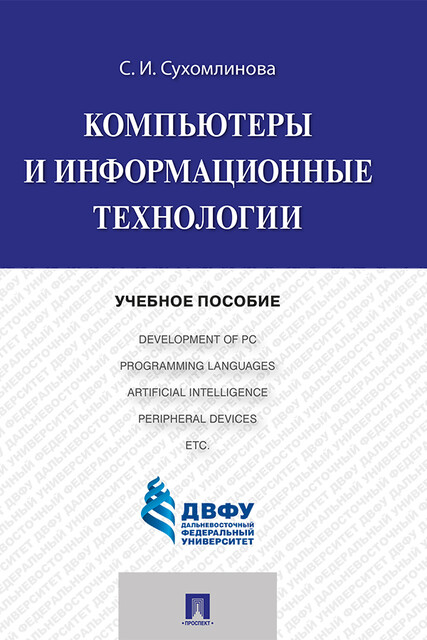
Автор: Сухомлинова С. И.
Целью учебного пособия является развитие коммуникативных навыков по английскому языку в устном и письменном виде речевой деятельности в области информационных технологий.
Содержит оригинальные технические тексты из английских источников, ключевые термины, проблемно-ориентированные задания, словарь технических слов и ключи к тестовым заданиям. Тексты включают общие сведения об истории компьютеров, компоненты вычислительной системы, типы аппаратных средств и языки программирования.
Предназначено для студентов технических и гуманитарных специальностей, специализирующихся в области технического перевода.
УДК 42(075)
ББК 32.81я73
© ДВФУ, 2007
© ООО «Проспект», электронная версия книги, 2015
ПРЕДИСЛОВИЕ
Целью учебного пособия является развитие коммуникативных навыков студентов по английскому языку, с одной стороны, и знакомство их с компьютерами и информационными технологиями, с другой стороны.
В пособии рассматриваются основные свойства компьютеров, вычислительные системы, информационные системы, искусственный интеллект, языки программирования, отношения между машинами и людьми, работа которых в той или мере связана с компьютерами. Задачей пособия является не детальное знакомство обучаемых с информационными технологиями, а демонстрация возможностей, которые даёт использование информационных технологий, и проблем, с которыми сталкиваются люди, использующие в своей работе компьютеры.
С точки зрения обучения английскому языку, данное пособие предназначено для студентов промежуточного или продвинутого уровня (старших курсов), уже владеющих аспектами языка и различными видами речевой деятельности, поэтому основная цель пособия – овладение терминологией и развитие коммуникативных навыков обучаемых в области информационных технологий.
Учебное пособие состоит из двух частей, ключей к упражнениям и англо-русского словаря технических терминов.
Первая часть состоит из разделов, каждый из которых начинается с ключевых терминов, определяющих тематику раздела в целом и текстов в частности, а также системы упражнений, направленных на формирование навыков поискового, ознакомительного и просмотрового чтения, развитие лексических навыков и навыков устной и письменной речи.
Ключи к упражнениям дают возможность самостоятельной проверки правильности ответов обучаемыми.
Вторая часть содержит оригинальные тексты из журналов «Computer Science», «Computer Bulletin», «Computing», «Communications of the ACM» и еженедельников «Computer Week», «PC Week», предназначенные для перевода со словарём.
Англо-русский словарь включает слова и выражения из области компьютеров и информационных технологий, встречающиеся в текстах первой и второй части.
PART I. COMMUNICATION SKILLS
UNIT 1. Introduction to Computers
Task 1. Go through a list of words that you will encounter in the reading of the unit and see if you are familiar with the words. This list is intended to give you some idea as to what the unit will discuss.
Device – устройство, машина, прибор;
component – составная часть;
transistor – транзистор;
integrated circuit – интегральная схема;
general-purpose – универсальный;
program – программа;
programmed – программируемый, запрограммированный;
chip – микросхема;
instruction – команда;
electronic circuit – электронная схема;
software – программные средства;
hardware – аппаратные средства;
mainframe – универсальная вычислительная машина;
minicomputer – миникомпьютер;
microcomputer – микрокомпьютер;
vacuum tube – электронная лампа;
generation – поколение.
Task 2. Discuss the following questions.
1. Visualize a computer and describe the image to students in your class.
2. What do you think the earliest computers looked like? What could they do? How are present-day computers different?
3. What generations of computers do you know? How many computer generations are there?
4. How is modern technology changing the world? How quickly is the world changing due to computers? How do you feel about the change?
5. What countries in the world are the most active in producing and improving computers?
Task 3. Read text 1 and check your answers to Task 2.
Text 1. From the History of Computers
1. What is a computer? Broadly speaking, a computer is any device that computes or calculates. Thus, an abacus or an adding machine is a computer.
2. The modern computer, however, is a device that is made up of electronic components, such as transistors or integrated circuits, and can be used for a variety of purposes. Modern electronic computers are much faster and are more accurate than earlier kinds of computers. Their most important characteristics, is that they can be “programmed”, that is, the instructions which tell the computer what to do can easily be changed. In this way, computers can do many different things. Thus, one moment a computer can be an adding machine, and the next it can be a typewriter.
3. The instructions, or programs, that tell the computer what to do are called computer software. The electronic and mechanical parts that are controlled by the software are called computer hardware.
4. Today there are three basic kinds of computers – mainframes, minicomputers, and microcomputers. Mainframes are large, extensive, general-purpose machines, which are used primarily by large businesses and government organizations. Minicomputers are smaller, less expensive machines, which are often used for specialized purposes in scientific and engineering laboratories. Microcomputers are small, often portable machines and are used in homes, small businesses, and the offices of large firms.
Kinds of Computers
| Date available | 1947 | early 1960s | early 1970s |
| Type | Mainframe | minicomputers | microcomputers |
5. Since the first computer, ENIAC, was built in 1947, the total number of computers has increased very rapidly. Over the years these large computers have become much more powerful, but the cost of a mainframe computer system is still quite expensive, often several million dollars. In addition to hardware, these computers require a lot of space, usually one or more rooms, and these rooms must be equipped with special air conditioning and wiring.
6. Minicomputers were not developed until the early 1960s. In addition to being cheaper and smaller than mainframe computers, minicomputers are also quite rugged and dependable. Today minicomputers cost between $5000 and $500,000 depending on the complexity of the system.
7. The first microcomputers, which became available in the mid1970s, had to be assembled by their owners. As a result, they did not become very popular. The Apple II, which came already assembled and was fairly easy to use, became very popular. Other companies – such as Tandy, Commodore, and eventually IBM – soon began competing with Apple for the small-business market. At the same time, such firms as Texas Instruments, Atari, and Commodore began selling computers for home and family use. These systems were small enough to fit on a desk top. At the heart of these systems was a chip (a large group of electronic circuits on a single piece of silicon) that is capable of performing all the necessary processing functions of a computer system.
8. The computer field is experiencing rapid growth and change. The change results from the decreasing cost of the basic components of computers. Computers are made up of electronic circuits. In the earliest computers these circuits consisted primarily of vacuum tubes. Vacuum tubes were large and expensive to make. Later, in the 1950s, computers used transistors. Transistors were smaller and easier to make than vacuum tubes. In the late 1960s integrated circuits, often called Ics or chips, began to be used in computers.
9. Integrated circuit technology improved rapidly throughout the 1970s and 1980s; as a result, engineers were able to squeeze many thousands of circuits onto a chip. For example, during the early 1980s many small computers used chips which squeezed 64,000 circuits onto one piece of silicon; and by 1983 companies were already planning to use chips with four times as many circuits – 256K chips (K = kilo = thousand). Thus, by the late 1970s people had begun to speak of an entirely new kind, or generation, of computer technology: VLSI, Very-Large-Scale Integration.
10. We now usually speak of four generations of computer technology. In each new generation a new – and cheaper – kind of component was the basic building block of computer circuits.
Computer Technology
| Generation | 1st | 2nd | 3rd | 4th |
| Date of appearance | 1947-mid 1950s | late 1950 | late 1960s | mid 1970s |
| Circuit | vacuum tube | transistors | integrated circuit | VLSI |
Today the cost of a computer circuit is many thousands of times less than it was when ENIAC was built. Thus, more and more organizations and individuals can afford to own and use computers.
Task 4. Decide whether the following statements are true or false. Be prepared to explain your answers.
1. Small businesses began using computers when these devices were first introduced in 1947.
2. The history of computers is a history of rapidly changing technology.
3. Mainframes used transistors as their basic technology.
4. Any device which calculates or computes is a modern computer.
5. Microprocessors are huge machines that fill up entire rooms.
6. A minicomputer is one example of a computer that is often used for special purposes.
7. The mechanical and electronic parts of the computer give the computer its instructions.
8. Third-generation computers are not only smaller than firstand second-generation computers, but they are also cheaper and more reliable.
Task 5. Using the line references given, look back in the text and find the words with a similar meaning to:
generally speaking (paragraph 1)
count (paragraph 1)
target (paragraph 2)
exact (paragraph 2)
universal (paragraph 4)
raised (paragraph 5)
besides (paragraph 5)
Task 6. Translate paragraphs 6 and 7 into Russian.
Task 7. Fill in the blanks in the paragraphs using the following words. You should use each word just once. You may need to change the form of some of the words.
| a) artificial intelligence; | e) programs; | i) microcomputer; |
| b) hardware; | f) vacuum tubes; | j) integrated circuits; |
| c) transistors; | g) computers; | k) minicomputers. |
| d) mainframes; | h) software; |
The history of _____1_____ is the history of changing technology. The first computers used _____2_____. In the 1950s cheaper and smaller circuits were made from _____3_____. The current technology, _____4_____ is even smaller and cheaper.
Because of the change in technology, today’s small computers, called _____5_____, are as powerful as the big computers of the 1950s. The biggest computers called _____6_____, are even more powerful and versatile than before, as is the next largest class of computers, _____7_____.
These classes refer to kinds of computer _____8_____. But in order to operate, a computer also needs _____9_____ or _____10_____. These give the computer its instructions. At the moment it is fairly complicated and time consuming to write instructions for a computer, but in the future _____11_____ will make it easier and quicker to use computers.
Task 8. Give a brief written answer for each of the following:
1. What is the main reason that computers have become smaller, cheaper, and more reliable?
2. What are the three basic operations of a modern computer? Give examples.
3. What is the difference between hardware and software?
4. What basic building blocks of computer circuits are used in each generation computers?
Task 9. Read quickly through text 2 to find:
1) the overall purpose of NCET;
2) another expression meaning "educational technology";
3) whether NCET produces learning materials;
4) how many priorities NCET's Schooling Directorate has;
5) three groups of people helped by NCET's Vocational Training programme;
6) three examples of new and developing technologies that the Council gives advice about.
Task 10. Translate the text into Russian. Check the meaning of any unfamiliar technical words in the vocabulary at the back of this book.
Text 2. Computers in Education
National Council for Educational Technology
The Council's purpose is to bring beneficial change to the processes of learning in education and training through the development and application of educational technology.
Educational technology – or learning technology, as it is sometimes known – embraces everything from the way computers, satellites, and interactive video are used in schools, colleges, and industry to issues of copyright and flexible learning. Focusing on the learner, our purpose is to support change in the ways we learn by applying the benefits of educational technology – especially the new information technologies – to the process of learning.
We design and produce learning materials in all subjects to support education and training. We carry out research and manage projects, offer consultancy on technical matters, support training for trainers and teachers, and offer expertise in areas such as open and flexible learning, resource management, and educational software. We provide a comprehensive information and enquiry service.
Information Technology in Schools
Through its I.T. in Schools Programme, NCET's Schooling Directorate is expertise four priorities:
• to identify and promote and spread good practice in the use of new technologies;
• to provide professional guidance to teacher trainers so that they can help teachers and schools in managing I.T. and applying it to all areas of study;
• to develop high-quality curriculum materials and encourage other publishers to do the same;
• to give particular support for those concerned with children and young adults with special educational needs, including the handicapped.
Learning after School and Work
NCET's Training Directorate focuses on the needs of those wishing to learn after the school-leaving age. Projects under the Vocational Training programme include looking into the training needs of women, older workers, and those who use information technology to work from home. In further education, lecturers and senior managers are being helped to plan for I.T. and changing client needs. For industry, our work has included language training in the run-up to 1992, and the application of artificial intelligence systems to training. This directorate also takes the lead in important trans-sectoral issues such as open and flexible learning, copyright, and the use of computers in careers guidance.
Technical Expertise
Keeping abreast of developments in technology and maintaining a national expertise on standards and specifications is the work of NCET's Technical Consultancy Directorate. Through links with other organizations, it identifies issues associated with the adoption of new technologies and, where appropriate, carries out projects to assess or develop their potential in education and training. It has a watching brief and provides consultancy on new and developing technologies such as satellites, CD-ROM, and interactive video. Current projects involve the examination of the use of educational software in schools, the use of massive storage systems, and the use of satellites in education and training. The Directorate also produces guidance to users on a wide range of technology, from desk-top publishing and remote sensing to teleconferencing and audio-visual systems.
Task 11. Speaking.
You represent the National Council for Educational Technology. You have been asked to talk to a group of teachers about the work of the Council. Make brief notes from the text, then prepare a short presentation.
In pairs or small groups, take turns to make your presentation. If you are listening to a presentation, check that it is accurate and that it covers the main points mentioned in the text.
UNIT 2. The Development of Personal Computers
Task 1. Read the text and decide on a suitable title for it. The following words will help you understand the common meaning of the text.
IBM (International Business Machines) – компания IBM;
reverse – отменять;
set up – учреждать, зд. создавать;
compatibility – совместимость;
challenge – бросать вызов;
commodity items – предметы широкого потребления;
proprietary – патентованный;
capitalize on – превращать в капитал;
operating system – операционная система;
graphical interface – графический интерфейс;
click – щелкнуть, нажать;
icon – пиктограмма, изображение;
badge – эмбле
...